How Drones Turn Learning to Code Into a Fun Adventure
Published: 2 Jul 2026
If you are wondering what drone programming is, it is the process of using code to control how a drone flies and performs different tasks. Instead of only flying, you can create custom flight paths, test new features, and build real projects that improve your skills. Many beginner-friendly models support simple programming languages, making it easier to learn step by step. Whether you are a student, hobbyist, or developer, choosing the right programmable drone can make your learning journey more enjoyable and rewarding.
Code vs. Remote Control
A programmable drone follows the instructions you write instead of waiting for every movement from a handheld remote. Learning how to program a drone helps you understand how software can replace manual controls and automate complex flight tasks.
Manual Flight Control : A traditional drone depends on a remote control. Every movement, such as taking off, turning, moving forward, or landing, comes directly from the pilot. If you stop giving commands, the drone no longer receives new instructions.
Code Controls Flight : A programmable drone follows code instead of joystick movements. You write commands in a programming language, and the drone carries them out automatically. For example, your code can tell the drone to take off, fly to a specific point, hover for a few seconds, and land safely.
Smart Decision Making : Your code can also use information from the drone’s sensors to make decisions during flight. For example, if the drone detects an obstacle, the program can tell it to stop or change direction without waiting for a person to react.
Greater Flight Automation : Programming makes it possible to repeat the same flight with consistent results. This is useful for tasks such as aerial mapping, inspections, research, and photography, where following the same flight path every time improves accuracy and saves time.
Why Learn Coding Through Drones?
Learning to code with drones turns ideas into real actions. Instead of only seeing results on a computer screen, you watch your code control a flying machine. This hands-on experience makes learning more enjoyable and easier to understand.
Learn by Doing : Drone programming helps you understand coding concepts through real practice. Ideas like loops, functions, and conditions become easier to learn because you can see them in action. For example, a loop can make a drone fly in a square or repeat the same flight pattern several times.
See Results Instantly : A programmable drone gives quick feedback on your code. If your program has an error, the drone may not follow the correct flight path or may stop before completing the task. This helps you find mistakes, improve your code, and learn faster through testing.
Build Multiple Skills : Working with drones teaches more than programming. You also learn how sensors, motors, and flight controllers work together. At the same time, you gain a basic understanding of important flight concepts like balance, lift, and direction, making your learning experience more complete.
Stay Motivated Longer : Watching a drone complete a task that you programmed is exciting and rewarding. Seeing your code produce real-world results keeps learning interesting and encourages you to take on more advanced coding projects over time.
What Skills Do You Actually Develop?
Programming a drone helps you build skills that go beyond flying. Each project teaches you how to think logically, solve problems, and create smart solutions that work in the real world.
Programming Basics : You learn the core building blocks of coding, including variables, loops, functions, and conditional statements. These skills help you write clear programs that control how a drone takes off, flies, and lands.
Robotics Knowledge : Drone programming introduces you to robotics by showing how sensors, motors, and flight controllers work together. You learn how a drone collects information and uses it to fly safely and accurately.
Automation Skills : You learn how to write code that performs tasks automatically without constant human control. For example, you can program a drone to follow the same flight path, inspect an area, or capture photos on every flight.
Debugging and Problem-Solving : Every coding project helps you improve your troubleshooting skills. You learn how to find errors, test different solutions, and turn a goal, such as making a drone fly in a circle, into a step-by-step program that works successfully.
Common Programming Languages Used
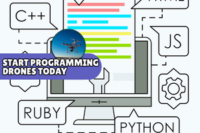
Different programmable drones support different coding languages. Choosing the right drone programming language depends on your experience and learning goals. Many beginners start with simple languages and move to more advanced ones as their skills grow.
Python Programming Language : Python is one of the easiest languages to learn and is a popular choice for drone programming. It has simple syntax and supports many drone platforms and simulation tools. It is ideal for beginners who want to build flight programs and automation projects.
Scratch and Blockly : Scratch and Blockly use drag-and-drop blocks instead of typed code. This makes them perfect for children, students, and first-time learners. They help you understand coding logic without worrying about programming syntax.
JavaScript Support : Some programmable drones and web-based platforms allow you to use JavaScript. If you already have experience building websites or web applications, JavaScript can be a simple way to start creating drone programs.
C and C++ Programming : C and C++ are advanced programming languages often used to build flight controller software and other high-performance drone systems. They provide greater control and speed but require a stronger understanding of programming concepts before getting started.
Types of Programmable Drones for Beginners
Not every programmable drone is designed for the same type of learner. Some focus on teaching basic coding, while others offer advanced features for real programming. Choosing the right type makes learning easier and more enjoyable.
Educational Learning Drones : These small and lightweight drones are made for beginners, students, and young learners. They often work with block-based coding apps, making it easy to understand programming without writing complex code. Their built-in safety features also make them suitable for indoor practice.
Developer-Friendly Drones : These drones support Software Development Kits (SDKs), which let you control the drone using programming languages like Python or JavaScript. They work with different drone programming software, making them a great choice for hobbyists and developers who want to write real code, build custom flight paths, and create automation projects.
Drone Flight Simulators : Drone simulators are software programs that let you practice programming without using a physical drone. You can test your code, fix mistakes, and learn how a drone responds in different situations. This is a safe and cost-effective way to build confidence before flying a real drone.
Upgrade as You Learn : Start with a beginner-friendly drone or simulator and move to more advanced models as your skills improve. This step-by-step approach helps you learn coding, flight control, and automation without feeling overwhelmed.
What Can You Actually Build?
Once you learn the basics of drone programming, you can create projects that go far beyond simple flying. Each project helps you improve your coding skills while showing how software can control real-world actions.
Custom Flight Paths : You can program a drone to fly along a specific route without using a remote. For example, it can fly in a square, circle, or figure-eight pattern and repeat the same path every time with consistent accuracy.
Smart Flight Features : By using the drone’s sensors, you can build programs that respond to the environment. For example, the drone can slow down, stop, or change direction when it detects an obstacle during flight.
Automated Camera Tasks : You can write code to control the drone’s camera automatically. For example, the drone can take a photo every five seconds or start recording video when it reaches a certain location during its flight.
Advanced Control Projects : As your skills grow, you can build more advanced applications such as voice-controlled flights, gesture-based controls, or even explore drone swarm programming, where multiple drones work together by following synchronized code. These projects introduce you to real-world automation, robotics, and coordinated aerial missions. .
A Simple Step-by-Step Path
Learning drone programming is easier when you take one step at a time. Start with the basics, practice regularly, and gradually build more advanced projects as your confidence grows.
Choose Your Platform : Start with a beginner-friendly programmable drone or a drone simulator. A simulator is a great option if you want to practice coding without the risk of damaging a real drone. Pick a platform that includes tutorials and beginner-friendly learning resources.
Set Up Your Tools : Install the required app, Software Development Kit (SDK), or programming software. Most beginner platforms provide free documentation that explains how to connect your drone, write your first program, and test your code.
Learn Basic Commands : Begin with simple flight instructions such as takeoff, landing, moving forward, moving backward, and turning. These basic commands help you understand how code controls the drone before you move on to more advanced programming concepts.
Build Smarter Projects : Once you understand the basics, use loops, conditions, and sensor data to create automated flights. For example, you can program a drone to fly in a square, avoid obstacles, check its battery level, or take photos automatically during a flight. These projects strengthen your coding skills and prepare you for more advanced drone applications.
Things to Keep in Mind
Drone programming is exciting, but every flight should be planned carefully. Following a few simple guidelines helps protect your drone, improves your coding experience, and keeps your flights safe and legal.
Prioritize Flight Safety : Always test new code in a drone simulator or an open, obstacle-free area before flying in a busy location. This reduces the risk of crashes and gives you time to fix coding mistakes safely.
Know Your Limits : Beginner drones usually have limited battery life and flight time. Keep your test sessions short, monitor the battery level, and inspect the drone before each flight to avoid unexpected interruptions.
Follow Local Rules : Check the drone regulations in your area before flying outdoors. Some locations require drone registration or restrict flights near airports, public spaces, or sensitive areas. Following these rules helps you fly safely and responsibly.
Practice Step by Step : Start with simple programs and test one feature at a time. Making small changes and checking the results after each flight helps you find errors quickly and build confidence as your coding skills improve.
Conclusion
A drone for programming makes learning code more interactive and rewarding. From basic flight commands to advanced automation, every project helps strengthen your technical skills. Keep practicing, experiment with new ideas, and enjoy the process of creating smart drone applications that solve real-world challenges.